
You downloaded twelve lessons. They sit in Downloads as video(1).mp4 through video(12).mp4. You cannot tell module 3 from module 11. A playlist in the browser had an order. The folder does not.
Offline video needs a naming scheme and a decision: one file per lesson, or a merged file. VideoDownloaderX may offer playlist download for sources you are allowed to save (your course, your channel). Organization is still on you.
This is how to keep offline video in an order you can teach from.
Playlist download is a batch of files
A playlist tool should give you 01, 02, 03 in the names if it is built well. If it does not, rename before you watch. Leading zeros (01 not 1) keep sort order in Windows and macOS. 10 will not jump before 2 if you used 02.
If the playlist is 200 items, batch overnight on Wi-Fi. Check file 1 and file 200 for completeness. A fail at item 87 is easier to retry than a silent skip.
One merged file vs many
Merging is nice for a flight: one play, no tapping. It is bad for “jump to lesson 8.” Prefer many files plus a numbered prefix. Merge only a watch copy if you must, keep the numbered originals.
Merging re-encodes or concatenates. Concat of same-codec MP4s can be clean. Mixed resolutions in one merge look like a mess. Do not merge 720p and 1080p lessons into one stream without scaling.
Folders
CourseName/ModuleA/01-intro.mp4. Not one pile. When the course updates, you can replace one module folder.
Include a links.txt with the playlist URL and the date. If you own the channel, the playlist in Studio is the catalog; the disk is the backup.
Metadata and players
Some players read embedded titles. Most of your downloads will show the filename. Filenames are the UI. Spend the minute.
Chapters inside one MP4 are possible but fiddly. Numbered files are simpler for most people.
Storage and duplicates
Playlist tools retry and may duplicate. Search for same size and duration. Delete the (1) copies after you confirm.
Courses you purchased
If the license allows download, the vendor’s player is still the official copy. Your offline set is for travel and insurance. Do not upload the course to a public drive. That is redistribution.
Your own channel
YouTube playlists of your videos: Studio download or a tool for the public URLs you own. Keep quality consistent (all 1080p) so a folder feels like one product.
When playlist fetch fails
Private playlists will fail in a public tool. Use the owner export. Mix of deleted videos: the tool may skip. Note the gap in a text file so you know lesson 4 is missing, not that you imagined it.
VideoDownloaderX should number files when it can. You should still look at the folder like a teacher. Order is part of the content. A pile of MP4s is not a course. A numbered folder is.
Spreadsheets as a catalog
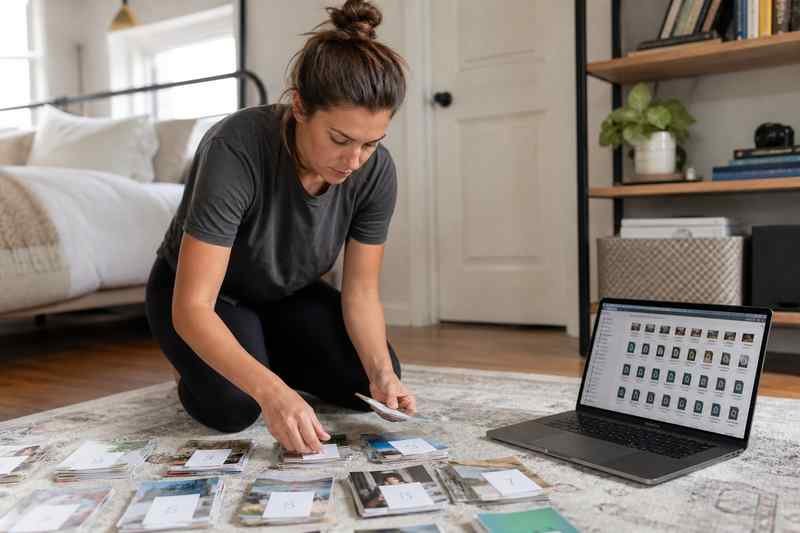
A simple sheet with number, title, duration, filename, and original URL saves you when names go missing. If VideoDownloaderX names files from the video title, strip characters Windows hates (: ? *). Then paste the clean name into the sheet. When a student says lesson 7 is blank, you can see whether you never had it.
Updates to a course
Creators replace lessons. Your offline folder will go stale. Date the folder (course-2026-08) instead of overwriting blindly. If you re-download a playlist, put it in a new dated folder and diff titles. Organization is version control for humans who do not use git.
Kids and family playlists
Numbered files plus a printed list on the tablet case beats a smart TV app that ads and autoplays. You are allowed to keep family videos you shot. You are not allowed to dump a commercial cartoon playlist onto a USB and call it convenience. The legal article still applies.
Search
Windows search on intro fails if every file is video(12).mp4. Filenames are search. Put the topic in the name. Future you will type invoice and find the lesson. That is the whole point of a folder instead of a pile.
A playlist in a browser is a suggestion of order. A numbered folder is order. VideoDownloaderX can fetch the set. You still name the set.
USB sticks for travel
FAT32 still exists. Files over 4GB fail. If a merged course is 6GB, split or use exFAT. Numbered 200MB lessons copy more reliably to a stick than one giant file that dies at 99 percent.
Watching order versus folder order
Some players sort by date modified. Copying files can scramble that. Number prefixes beat dates. If you add a new lesson 4b, use 04b or 04.5 in a scheme you document in README.txt in the folder.
Broken lesson in the middle
If 08 is corrupt, students skip or rage. Keep a checksum or at least a duration column. Re-fetch 08 from VideoDownloaderX or Studio. Do not re-download the whole playlist unless you must.
A playlist in a browser is a suggestion. A numbered folder is a course. Name the files like a teacher.
How a 12-lesson folder should look
A top folder with the course name and year. Inside, 01-welcome.mp4 through 12-exam.mp4, captions with matching SRT files, links.txt with the playlist URL, README.txt with quality (1080p) and the date you fetched. If VideoDownloaderX dumped video (1).mp4, rename before you watch a single minute. Sorting is teaching. A messy Downloads folder is how lesson 9 becomes the file you never find on a plane.
Players that ignore your order
Smart TVs often sort by date or alphabet without leading zeros. 2-intro sorts after 10-exam. Always 02-intro. If the TV still shuffles, a single merged watch file for travel may be easier, while the numbered files stay on the laptop as the real course. Two representations, one catalog in links.txt. When a lesson updates, replace one numbered file, not the whole merge, then rebuild the merge if you still want it. VideoDownloaderX can re-fetch that one URL if you own it. Do not re-grab all twelve unless you must.
Headphones and chapter notes
If you refuse to merge, a text file of timestamps inside each lesson still helps (03:40 quiz). Put it in the folder. Students on a plane with numbered MP4s and a notes file have a course. Students with video(12).mp4 have a junk drawer. VideoDownloaderX will not write the notes. You will. Ten minutes after the download is the right time, while you still remember what lesson 7 was.
Offline exams and integrity
If the course is for a test, numbered files plus a simple size-and-duration sheet stop a student claiming lesson 5 was empty when it was not. Integrity is boring. So is a missing file on exam day. VideoDownloaderX gets the set. You verify the set. That is the difference between a playlist dump and a library.
If a player ignores numbers and sorts by date, copy the folder to a fresh USB so all dates match, or merge a watch copy for travel only. Keep the numbered files as the source of truth.