
Every downloader waves “4K” like a trophy. Every phone gallery fills up. Every editor timeline stutters because the “backup” is four times the pixels you will ever show.
Resolution is a choice about viewing distance, editing plans, and disk. It is not a moral ranking. VideoDownloaderX will offer qualities when the source has them. You should pick with a job in mind, not with a fear of missing out.
This is how to choose 720p, 1080p, and 4K without wasting a drive.
What the numbers mean
720p is typically 1280×720. 1080p is 1920×1080. 4K UHD is usually 3840×2160. Vertical videos swap the numbers: 1080×1920 is still a 1080-class file, not “720 because it is a phone.”
Pixels are not sharpness by themselves. A soft 4K encode can look worse than a clean 1080p. Bitrate and focus matter. A 4K file at a starving bitrate is a large, ugly file.
Watch vs edit vs archive
Watch on a phone: 720p is often enough. You cannot see 4K on a 6-inch screen at normal distance the way a salesperson means.
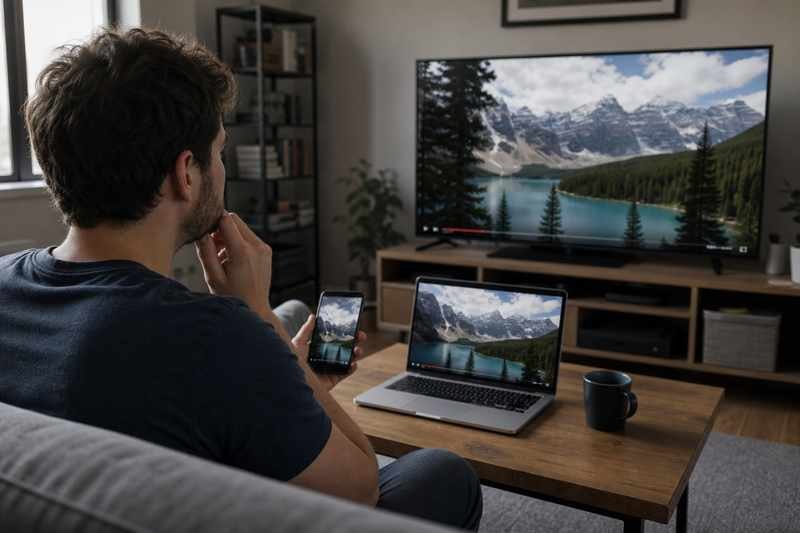
Watch on a 55-inch TV from the couch: 1080p is still the workhorse. 4K helps if the encode is good and you sit close enough. For a talking-head course, 1080p is plenty.
Edit, crop, punch-in: extra pixels help. If you will reframe a 16:9 into vertical, 4K source is useful. If you will not crop, 1080p edit is simpler and faster.
Archive of your own camera original: keep the camera file. A 4K download of a 1080p upload cannot recover detail that was never there. YouTube cannot give you 4K if you uploaded 1080p. The button may still say 1080p as the max. Believe the max.
Storage math you can feel
4K is roughly four times the pixels of 1080p. File size is not always 4×, because codecs are clever, but it is often 2–4×. A 10-minute 1080p lesson might be 200–400MB at a decent bitrate. 4K of the same can be a gigabyte-plus. Fifty lessons later you have a full disk and a slower backup.
If you download “best” for every YouTube video you are allowed to save from your own channel, you will duplicate what Studio already stores. Pick 1080p for a working archive unless you truly uploaded 4K and need those pixels.
HDR and 4K together
HDR 4K files can look wrong on SDR laptops: flat, too dark, too neon. If you are not grading HDR, an SDR 1080p may be the better daily file. Keep HDR only if your pipeline understands it.
Network and fail rates
4K on a weak connection is how downloads die at 99%. If you are on mobile data, 720p or 1080p finishes. You can fetch 4K later on Wi-Fi if you still need it.
Screens and text
UI recordings and slide decks: 1080p minimum if people must read. 720p of a spreadsheet is how you get support tickets. 4K of a slide deck is rarely necessary if 1080p is sharp; bitrate for text matters more than 4K.
A default policy
- Phone watch / travel: 720p
- General archive of talking-head: 1080p
- Crop, heavy grade, large-screen documentary you shot in 4K: 4K
- Unknown: 1080p, not “best”
Write the policy in a note if you run a small studio. Consistency beats a mix of random qualities in one project folder.
How to tell what you already have
The player or file properties show resolution. If VideoDownloaderX lists 1080p and 1440p and 2160p, 2160p is 4K. If the highest is 720p, that is all the source has. Do not hunt for a 4K switch that does not exist.
Two copies when it is worth it
A 1080p watch copy and a 4K master of your film: reasonable. Two 4K copies of a 12-second selfie: not reasonable.
Interlaced old files
You will meet 1080i from camcorders. That is not 1080p. Players may comb. Deinterlace on convert. Calling it 1080p in a folder name will confuse you later. Label 1080i until you fix it.
Social platforms lie about “HD”
A player button that says HD may still be 720p for your connection. The download quality list is more honest if the tool reads available formats. If only 360p appears, that is the public offering. Owner export can still be 1080p for the same video.
Punch-in math
If you will zoom 200% in the edit, 1080p becomes 540p-looking. That is when 4K earns its keep. If you will not zoom, you paid for pixels you will scale away on a 1080p timeline anyway.
VideoDownloaderX should make the quality picker obvious. Use it. Storage is finite. Attention is finite. 1080p is not a compromise for most of the videos you will actually rewatch. It is the size that matches the screen and the timeline. Save 4K for the days you will use the extra pixels, and your disk will still have room for the next project.
Bitrate is the other half of sharpness
A 4K file at a very low bitrate can look softer than a 1080p file with a healthy bitrate. Platforms and downloaders sometimes advertise resolution and starve the encode. If you open two files and the 4K one blocks on foliage while the 1080p one holds a face, you did not win by picking 4K. You won by picking a better encode.
When VideoDownloaderX lists several 1080p options, they may differ by codec and bitrate, not only by a label. If one file is twice the size of another at the same resolution, the larger one is probably the better watch copy. Size is not always quality, but for the same codec and resolution it is a clue.
Phones, data plans, and hotel Wi-Fi
4K on a phone on cellular is how you burn a data cap and heat the handset. 720p or 1080p is the adult choice on the road. Save 4K fetches for Wi-Fi and for the archive disk, not for a commute watch.
If you are building a course folder for students on mixed connections, ship 1080p. A 4K lecture of a talking head is a tax on their disk and on their patience. They will not sit closer to the pixels. They will skip.
Cropping vertical from landscape
If the source is 16:9 1080p and you need 9:16, you will crop a lot of the frame. 4K 16:9 gives you more room to reframe a face. That is a real 4K use. If the source is already 9:16 1080p, extra resolution does nothing for a 9:16 delivery except slow the edit.
Team policy example
A small studio can write: trailers and ads we might punch in, 4K if we shot 4K. Educational talking-head, 1080p. Internal reviews, 720p. Social backups from VideoDownloaderX, whatever the CDN served, labeled as such. The label stops an editor from grading a CDN file like a camera original.
TV distance
Marketing 4K assumes you sit close to a large panel. A classroom TV viewed from the back row is a 1080p job. Do not spend the disk on 4K for that room unless you also punch in during a live demo.
Resolution is a budget. Spend it where cropping, screens, and archives need it. VideoDownloaderX will offer the list. You pick the line item that matches the week you are actually having.